Tuesday, 20 May 2008

Why SlingPlayer and SlingBox is so popular

I have 2 SlingBoxes – one in Europe and one in Dubai, which lets me watch news and other “local” stuff wherever I am – as long as I got a reasonable internet connection. I have ORB and Media Center as well, but for watching live TV, SlingBox can’t be beaten. Of course there are some issues, but they are small.SlingBox Familly

But I started wondering why I like the Live TV on my SlingBox. And one of the things that clearly set SlingBox apart from competition – is that a channel change happens very quickly.

If you try to change channels in ORB, it takes quite a long time before you have a reaction – but on a SlingBox it is close to instant. And as most men.. I’m a zapper – moving from Channel to Channel. So I don’t really like waiting 10 seconds for the stream change to reach me, which is what happens in ORB.

So I was thinking a bit about how SlingBox makes it so instant. And their solution is very smart.

When you start watching a channel – SlingPlayer actually builds up a buffer of 7 seconds video (default), and until the buffer is full, the SlingPlayer actually slow down the program you are watching. Not so much that you notice it – but enough for the buffer to fill up to full 7 seconds. When it reaches 7 Seconds – play speed is set to 100%. Until buffer is full – it floats between 90-93% of normal speed.

Then when you change a channel – the buffer is instantly cleared – and the SlingBox sends you the new stream, first in quite bad quality – and then as the buffer fills towards 7 seconds – the quality slowly increases – and when you reach 100% buffer – your video quality is back at “best possible”SlingPlayer 2

This gives you the almost instant channel changes on SlingBox. Just try it at home if you are using a cable box. Try to change channels on the remote for the box. The channel change will take 7 seconds to show. But if you use SlingPlayer to do the channel change – it takes less than 1 sec.

This is very smart – and makes the Zapping Experience a lot more smooth – and user friendly.

So in my book – this is the reason I use SlingPlayer and not ORB for live TV.


Now we just wait for SlingPlayer 2.0, Sling Catcher and a SlingPlayer mobile client that supports my Nokia E90.

Monday, 5 May 2008

Archos 605 Wi-Fi review

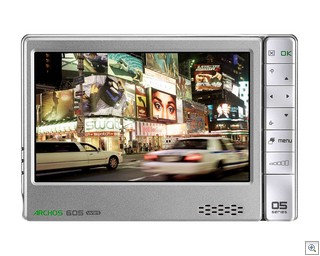
A few weeks ago – I took delivery of an Archos 605 Wi-Fi with 80GB hard drive. The specs are impressive, and capacity is fine for me even though bigger versions are available. So now I have had time to really put it through its paces.ARCHOS 605 WiFi front
The general impression

The screen specs are fine – 800x480 4.3” with touch – plays back most AVI files with a few exceptions. On the left hand side you have the headphone mini jack. On top On/Off and Lock button and on the front you have a small speaker and “multi-swivel buttons” for control of the unit (volume, up/down, menu etc) and that is all fine and works okay.

Archos USB stupidities

But the really stupid thing (Number 1) is.. On the bottom base is the Archos connector. The Archos connector is a propriety connector for plugging in to the docking station or plugging in the USB to Archos Connector cable. Why Archos cannot deliver a TRUE USB connector on the SIDE of the unit is beyond every intelligent persons understanding. You see – the problem is with power attached via USB cable – the unit can’t stand by its own. It needs extra support. And you need to carry the USB to Archos cable around with you to charge the device or transfer data to it. So Archos why can’t you just deliver a REAL mini USB?

Archos Travel Adaptor

I then got the “Travel Adaptor” with extra battery – and a REAL Mini USB interface, since I thought – okay – with that at least I can charge and the device can stand by its own accord. But no. Despite having the USB interface – the only way the travel adaptor will charge is with an AC adaptor. Thank you again Archos.

Battery performance is “okay”. I get about 3 hours watching movies, and have not tried to run it dry on music. But it is okay for my usage.

Archos 605 Touch Screen

Then on to the next absolutely stupid design mistake. You get a device with touch screen, and you do get a Pen for it in the box. But there is not a single place to store the pen in a safe place in the device. You need to keep the pen safe somewhere. There is not even a “tab” for the pen in the very cheap pouch Archos delivers. So the pen is bound to get lost very quickly.

Syncing the Archos 605

Then on to putting data on the Archos 605 Wi-Fi. I had hoped I could sync my DivX files via play-for-sure on my Vista Premium Media Center. But no. Lots of files won’t convert. Mostly DivX files I have done of my DVDs. So I had to install SyncTool – but that works fine. Not as advanced as with MediaCenter sync – but most files do not require any conversion to be played back on the Archos Unit. Not really Archos fault I think. But still…

Archos 605 VolumeARCHOS 605 WiFi kickstand - that part I love! :-)
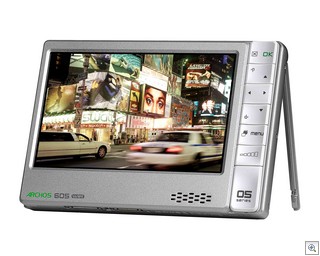
So now on to usability – I like the device – it is small – plays back movies as it should. Only had a couple of errors playing back DivX and AVI movies. Sound quality is okay – but the volume is very very low. The latest firmware has helped a little bit – but still – my iPhone plays louder than the 605 Wi-Fi, and Apple are conservative with the volume output.

Archos 605 Wi-Fi and .. Wi-Fi

The Archos 605 have built in Wi-Fi and with that you can browse the net – play files from UPnP devices like my Media Center. Wi-Fi support is okay – but a bit old fashioned in usage and in connecting to Wireless Access Points. But now on to the bad part. When you use Wi-Fi you have snap-crackle-and-pop in your earphones – all the time – and very loud. Not acceptable Archos – not at all. So Wi-Fi is limited to browsing without sound. Nobody should buy this device for its Wi-Fi – that’s for sure. You can’t watch a movie, see a flash video or anything else via Wi Fi – it is unbearable! Wi-Fi coverage is lousy anyway – so compared to E90 – you get less than 1/3 of the range.

Archos 605 Screen Performance

Back to the screen. In dark rooms the screen is great – god contrast. Black levels are non existent though, so screen is more grayish than black and grayscales are not very good. As you know – I live in the sunny part of the world – so outdoor usage is absolutely a must for me. But the Archos 605 WiFi is unusable outdoors – even in the shade. I don’t think I have any other devices with such bad outdoor screen performance.

Archos Plugins

To do Web Browsing – you need to buy a plug-in. The (Opera) software is in the device – it is just not activated. The web browser plug-in works fine and browse is quite close to my Nokia E90 browser in rendering. But I had problems with the rendering not working very well – especially when dimensions were set to “Fit Width” – especially in the last version of the firmware. There you could not even see Archos own website. Everything just went black.

To view MP2 video files – you need another plug-in –and to view H264 video – you need yet another plug-in. Remember – before you are done – and the device works as you want – you might have to spend another €75 / $100.

Archos has just delivered a new plug-in – so now you can hear Internet Radio and watch Internet TV. And of course it comes at a price (another €20). The plug-in is just the V-Tuner application ported to Archos. And €20 seems a bit steep for that. But it is nice to have the radio stations at hand.ARCHOS 605 WiFi below - Stupid Pseudo USB Connector
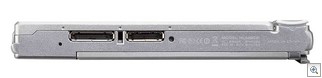
So to recap Archos Stupidities

1. The unit can’t stand by its own with the stupid Archos to USB connector. Big minus!

2. No Standard USB connector on the device

3. The travel battery/USB adaptor does not charge via USB? Only through AC adaptor. So why put Travel in the name? You have to bring your AC Adaptor for it?

4. The screen is un-usable outdoors (but okay indoors)

5. Everything else is “extras” so expect to hand out €70/$100 before you are happy with it.

6. Wi-Fi is close to un-usable – really bad coverage –and noise in headphones most of the time.

7. Where can you put the pen?

8. The Pouch is damn cheap and does not have a Pen Holder.

9. Where is the SlingPlayer application? J (sorry could not resists)

10. The volume in headset is very low.


The good stuff or what Archos made right

1. It actually works with most of my AV Files without any conversion. BIG PLUS

2. Indoors display is good (but not perfect)

3. It works with ORB! But via Flash –and the Flash video quality is “random” at best with washed out colors.

The Archos 605 Wi-Fi review conclusion

So would I buy it again? No - not at full price. iPod Touch 32GB is so close pricewise. I’d rather have the iPod Touch than the 605 Wi-Fi. But since I got this one for a really low price, it’s a keeper for now.

That’s all for today – thanks for listening.
Wednesday, 30 April 2008

Mobile SlingPlayer(s) updated

A few updates have hit SlingMedia SlingBox mobile users today.

The new versions are:

SlingPlayer Mobile for Pocket PC 1.6
SlingPlayer Mobile for Windows Smartphone 1.6
SlingPlayer Mobile for Symbian OS 1.01
SlingPlayer Mobile for Palm 1.0.1

I have only tried the Symbian 1.01 - and the new features seems to be limited to bug fixes and a few extra handsets supported. (Nokia N82 and N95 8GB)

But still no support for E90 - so E90 owners still have to live with stamp-sized video on their E90s.

Access Points can now be defined as “Ask Everytime” which is nice since the E90 is quite stupid in its Network handling.

Buhuuu SlingMedia for not providing support for more phones. (And for not releasing the SlingPlayer 2.0 and SlingCatcher!)

Special offer - 3G data - $6.500/hour

It can be expensive to surf away from your normal network provider. The Swede – Kristoffer Sandberg got a bit of a surprise when he received a bill for Mobile Data Roaming for SEK 40.000 (About US$ 6500)

In Sweden Kristoffer pays SEK 99 ($15) pr. month for unlimited data on his 3G subscription with Mobile Operator 3. But on a trip to Norway Kristoffer surfed on YouTube for about one hour on Telenords 3G network via the roaming agreement with 3.

One hour use – resulted the bill of $6.500.

So now telecoms critics in Scandinavia are scratching their heads – since why should something that costs SEK 99 for one whole month – cost $6.500 just because you are on a “roaming” network.

Well we can just hope this leads to lower roaming charges across the world. But pour Kristoffer….

Story from IDG Norway (in Norwegian)

Friday, 25 April 2008

Skype for Mobile Java

Finally – Skype for Java is available in Beta. This means native skype support is not longer just for Windows Mobile.Mobile Skype for Java and Mobiles

So far quite a few mobiles are supported from Nokia, Motorola, Samsung and Sony Ericsson!

So head over to (on your mobile) http://skype.com/m

Or from your browser: http://www.skype.com/intl/en/download/skype/mobile/

BUT – In this beta version, anyone can receive calls, instant message and see who’s online. If you want to call phones, mobiles, or any of your Skype contacts, this is limited to people in Brazil, Denmark, Estonia, Finland, Poland, Sweden and UK

So go over and try it. Unfortunatly it is not available for my E90 :-( yet. So still Fring Dependent…..

Thursday, 24 April 2008

A few more i-mate Ultimate 9502 comments

Now I have used the device for a few days. And it is a nice device. But despite the 1660 MA battery – the battery life of the 9502 is not very good.

A charge lasts maximum a day with my usage. That is 1/2 of my E90 – and I use them in the same way.

I installed Opera Mobile 8.65 on it – and it works fine – apart from every time I start up the application I get an Error message with a fault in Opera.exe file. Ignoring the error and pressing continue – gets me straight into Opera and everything seems to work.

Then I checked the Micro SD. And what a sunrise – only supports standard Micro SD – no capacity higher that 2GB. Come on i-mate – this is 2008 - and 12GB Micro SD cards are available. My 8GB SDHC card does not work in the Ultimate 9502.

I don't really care about “VGA” output for presentations. I want a Phone that works like a charm.

I guess i-mate lost out great when HTC pushed them out and so far I can’t really see a recovery for that – apart from buying your phones from HTC and not i-mate.

The screen is nice though – but gets damn greasy – and does not really work well in the sun. Even though it is nice and bright indoors – outdoors you can hardly read it on highest brightness settings. And this is despite i-mate HQ is in a very sunny city of Dubai.

The Power button has problems as well. Very hard to press to get the screen to turn on. It is in an awkward place for most people – and really annoy me. After pressing it it takes 0.5 – to 1 second before you have any reaction.

So in my book -the i-mate Ultimate 9502 – is not really a winner. At maximum a limited device to a very limited user group. So on to Souq with this one (the eBay of the Middle East..)

Wednesday, 23 April 2008

Now SSD available with Lenovo T-, X, and X series Tablet

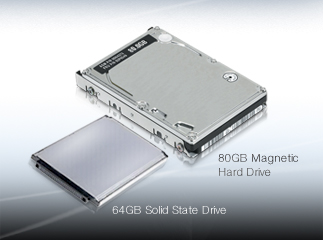
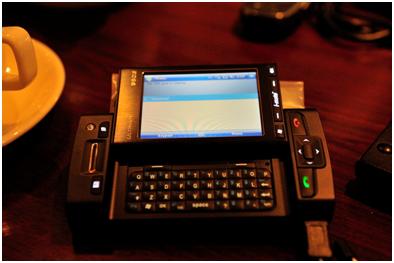
First we had the X300 with SSD drive – now Lenovo is offering the same SSD drive for a few more laptops – including my favorite at the moment - the X61t (Tablet)Lenovo SDD vs Magnetic harddrive comparison


Yes – I can´t live without my tablet and OneNote – and now with an SSD option I might upgrade before the X200 tablet or X300 tablet comes out – or what ever the name will be.


The SSD drive option of 64GB adds another US$1030 to a standard X61 Tablet (in exchange for the 80GB 5400 RPM option)


The SSD drive should hopefully give you a bit more HD speed and battery juice. But some SSD implementations are not the best (like OQO that wont play HD movies from SSD drives)


But since Lenovo usually delivers – I’m hoping for the best. (Yes I'm colored – but have had about 10 different tablets so far - and my X61t is clearly the best of the bunch so far)


But unfortunately it seems like it is not available in the high res screen option. Another thing I can’t live without….


So Dear Lenovo – I want 4:3 1400x1050 screen for with your next tablet edition – AND SSD drive - and a screen that does not smudge so much… and :-) :-)


Unboxing the i-mate Ultimate 9502

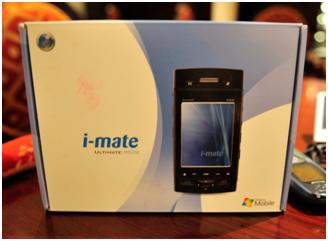
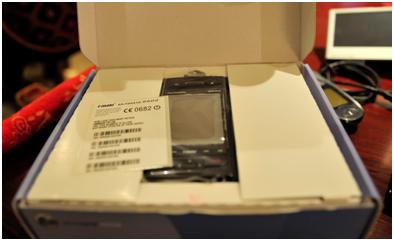
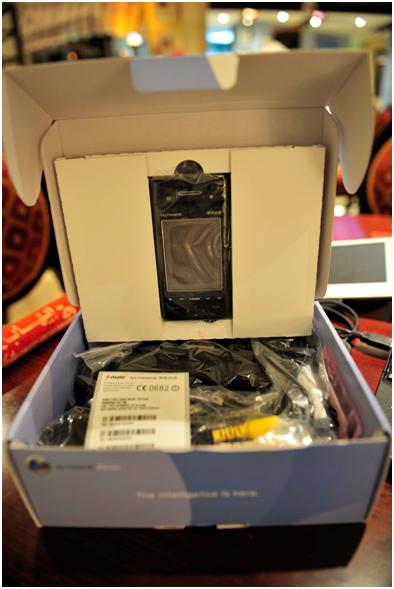
Just found a new gadget in Dubai. Expensive L but got it anyway. Available in Sharaff DG in Times Square Mall Dubai as of today. I do already know I'm not keeping it – but just wanted to try it for a few days. J

Here are a few un-boxing pictures for your pleasure J

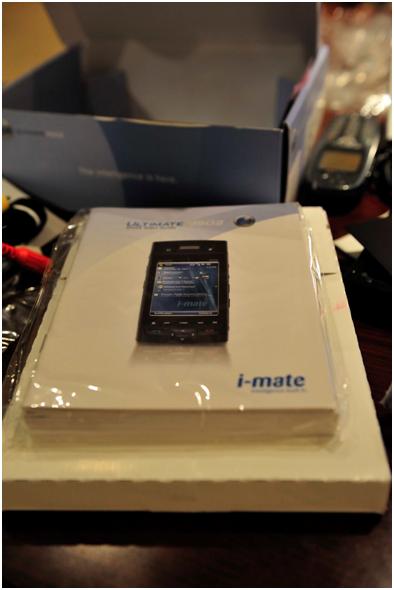
Unboxing the i-mate Ultimate 9502 – The Box

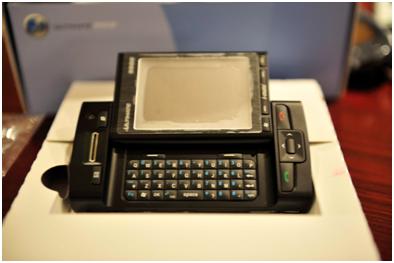
Unboxing the i-mate Ultimate 9502 – The Phone


Unboxing the i-mate Ultimate 9502 – Phone and Accessories

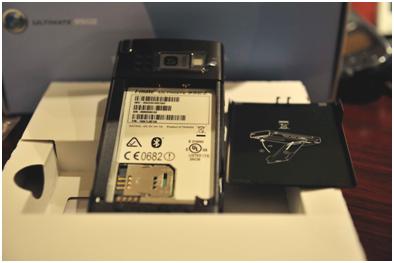
Unboxing the i-mate Ultimate 9502 – Front and Back uncovered

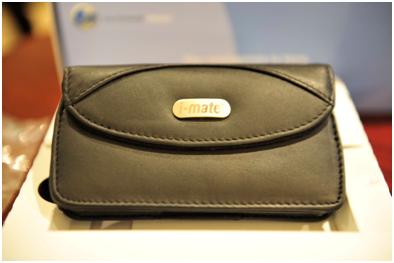
The Belt Pouch

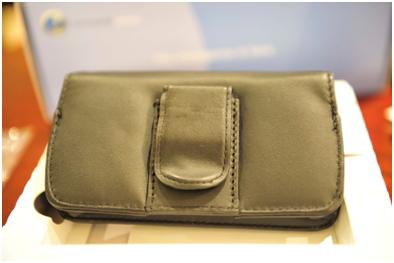
The Belt Pouch

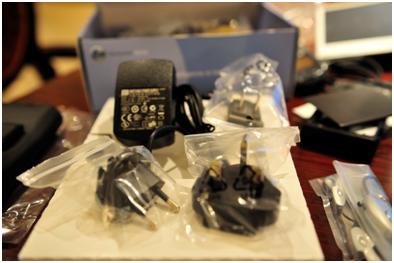
Unboxing the i-mate Ultimate 9502 -Charger and Tips

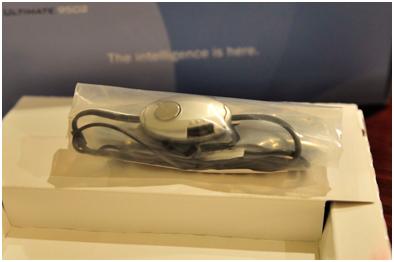
Unboxing the i-mate Ultimate 9502 – the Ugly Headset

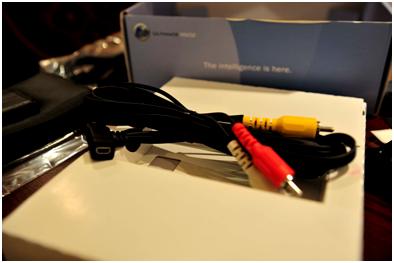
Unboxing the i-mate Ultimate 9502 – AV Cable

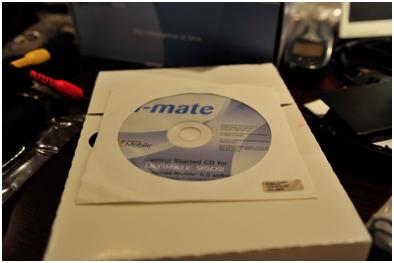
Unboxing the i-mate Ultimate 9502 – Software

Unboxing the i-mate Ultimate 9502 – The Manual

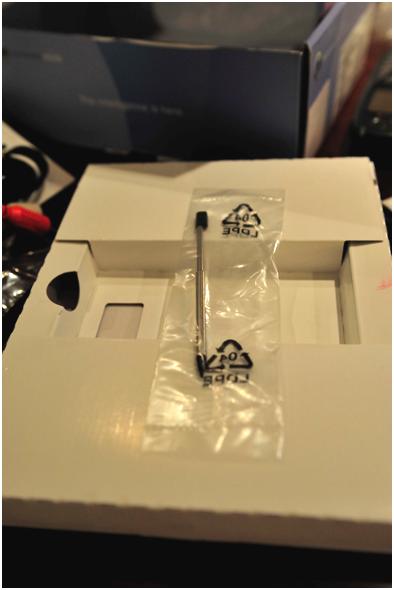
Unboxing the i-mate Ultimate 9502 – The Spare Pen

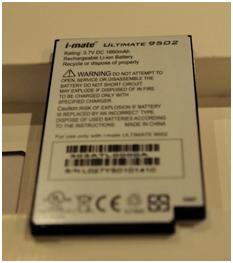
Unboxing the i-mate Ultimate 9502 – The Battery

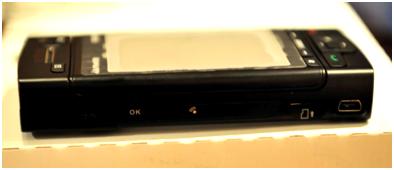
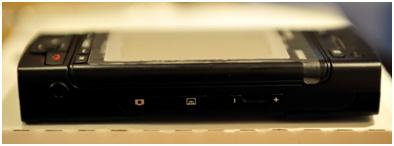
Unboxing the i-mate Ultimate 9502 – Side View

Unboxing the i-mate Ultimate 9502 – Side View

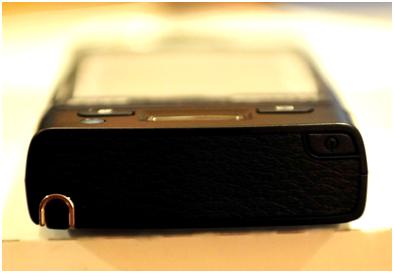
Unboxing the i-mate Ultimate 9502 – Top View Power and Pen

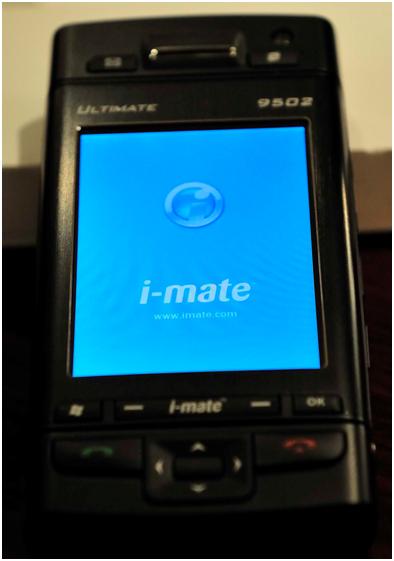
Unboxing the i-mate Ultimate 9502 – First Boot

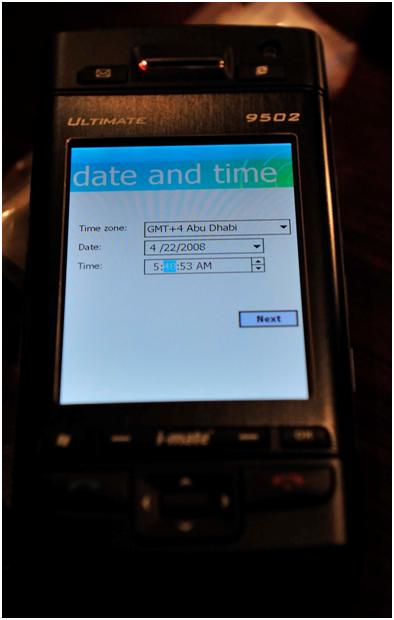
Unboxing the i-mate Ultimate 9502 – Date Setting


Unboxing the i-mate Ultimate 9502 – okay - READY


So here you have the Ultimate 9502 – with pictures. I have now used it for 12 hours – and my initial thoughts are:

  1. Nice with real headset mini-jackplug (works with my nice Nokia Headset)
  2. Screen is very nice – but a bit small for this big device – and it is a shame it does not tilt like the TyTN II.
  3. Buttons are a bit "cheap" - but keyboard inside is great despite its small size.
  4. The device feels slow. Slower than my Nokia E90. Changing from Landscape to Portrait can take a while
  5. My SlingPlayer works fine with it – and very stable – and uses the full screen. Not like the Nokia E90 version…
  6. Battery cover has small (very small) pins for locking – I think they will break if you are not careful.
  7. Speaker is crap compared with my E90s – low in volume and distorts.
  8. Call quality is nowhere near the E90.
  9. The nice dialer i-mate had with HTC is not there anymore –and there are not really a lot of "punch" software in the pack like HTC provides

So in general – if you want Windows Mobile – this is a great device for you. One of the best out there – HTC does a better design job – but no normal sized HTC phones are available with 640x480 screen. Some of the design elements seem like crude Russian mid 1970s inspired. So it is built like a tank apart from pen and battery cover.

Windows Mobile is Windows Mobile – so not a lot to say about that apart from it supports the 1970s built like a tank (in Russia)

Thanks for taking the time to look in on us J and if you want to buy a slightly used i-mate Ultimate 9502 – ping me.

Tuesday, 22 April 2008

Top Danish IRS Director Sacked – for Tax Evasion

Well isn't it great. One of the reasons I left Denmark was the tax system – where only the rich and wealthy can afford tax advisors who know the loopholes to avoid paying tax and your top tax bracket is 68%. Yes you read right – 68% of your last earned Kroner go to the IRS.

Now it seems like a Danish Top Executive (Now Ex. Director Claus Kaaber) in SKAT (The Danish version of IRS) have been sacked for … "Aiding Tax Evasion"

The bugger bought a piece of land from someone in Spain – and agreed to pay part of the purchase price "non-disclosed" to the Spanish IRS. So the seller did not have to pay tax from the proceeds.

The truly disgusting part here is – SKAT has sacked him – but with 8 months pay, 2 months' pay for the years he was employed – and 6 months dismissal pay. How come that someone in such a high position can get so much severance pay – for aiding potential tax evasion? Unreasonable!

Damn the Danish society looks nice on the surface – but beneath the surface it is muddy waters.

Links to the Story in Danish from Boersen (Danish kind of "Financial Times")

Sorry this does not really belong here on a Tech blog – but I had to get it out J

Wednesday, 9 April 2008

Nokia E90 Review – Longtime opinions

Now I have used my Nokia E90 for a long time (for me more than 2 months with a Phone is a very long time)

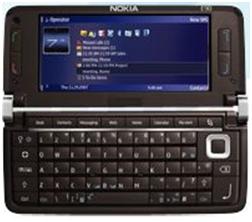
So despite the E90's shortcomings in many fields – it is a great phone. I bought my first E90 in Dubai – with Arabic keyboard –but went back to Denmark and bought another one – just to get a keyboard with fewer items on each key. (With Arabic keyboard you have both English and Arabic signs on each button – and makes it quite a lot harder to use in the Dark with Backlight)

So why is it still my primary phone?

Well here are the "long time pros and cons"

I love the E90 because:

  1. The full keyboard
  2. The internal screen is absolutely great
  3. RoadSync for Exchange Sync (despite its shortcomings)
  4. I can use SlingPlayer (again – despite SlingPlayers shortcomings on the E90)
  5. WiFi works most of the time (except for a few WPA2 issues)
  6. I can use Voice over IP without extra software

I hate the E90's shortcomings though. Here are a few

  1. The browser keeps breaking down. (Try to do a search from iGoogle….) –
  2. JavaScript is not 100% Google compatible (iGoogle that is)
  3. The WiFi range is very poor compared to HTC phones (Not too funny when using VoIP…)
  4. WiFi is not always WPA2 compatible
  5. The detection of the E90 is in Open mode or Shut mode – is NEVER right – giving you the wrong keys on your keyboard in Open mode. Really a bummer when entering Passwords. Then you need to close your phone – and open it again – and then find your way back to the web browser or email you was about to write
  6. The Internet Connection system. Internet is not "On or Off" – no each application has its own opinion on how to control and use your internet. Some applications are hard-coded to a profile (like RoadSync or SlingPlayer) – other applications can't co-use the internet if something else is using the internet. ("Internet Connection is in Use… Please disconnect and …")
  7. Where is the VPN? It is a Business Phone for crying out loud. Even the iPhone got PPTP VPN from v1….
  8. No firmware updates in 5 months to correct even the obvious bugs in the phone. (I know we are dinosaurs for using the E90… but come on…)
  9. Yes my phone is wobbly when placed on a flat surface.. (Made in China..)
  10. Yes my phone gets finger print markings on the screen from touching the keyboard


Someone in Nokia Management should be FORCED to use the E90 for 3 months… Then the bugs would certainly be fixed.

But I hope future firmware will solve the issues – and Nokia once again will be seen as a company that takes their business customers seriously. But I think Nokia is far too busy to fix the "iPhone" problem – to spend so much time on the E90.

But despite the cons list being twice the length of the pros's.. I still love my E90. The only thing that might change that… Is the Xperia X1 from Sony Ericsson or a 3G iPhone with Exchange Sync and a usable keyboard/keypad.


Friday, 4 April 2008

Ups - Nokia releases beta E90 Firmware 200.34.72

Someone in Nokia has goofed up. A Beta firmware for the E90 was accidentally set free to users of the Nokia NSU (Nokia Software Update).

A few people got to install it before it was pulled from the NSU site.

It seems like it was not the feature complete firmware since it have Maps 1.2 in it – and a few bugs. But in general an improvement, with faster application load. But more to be seen over the next few days.

Check in on My-Symbian for more info


Sunday, 23 March 2008

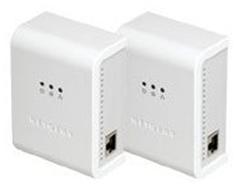
Netgear HDX101 Powerline Ethernet Review

I live in a building with lots of concrete walls. That is not funny when trying to get wireless coverage in all rooms. Plus due to the amounts of sunshine here – the windows are very isolating – and isolates WiFi quite well. The flat is rented as well – so drilling holes are not really an option.

So for a long time I had no Internet access in some of the rooms. But then a while ago I thought – hmm, living on 33. floor with nice terrace I might be able to cover my neighborhood with WiFi and get coverage in the other rooms – I went out to find a Powerline Ethernet adaptor. By luck I found some cheap 85Mbps based on HomePlug standard – and used them to put 1 AP in the workroom – and 1 Alcon outdoor access point outside. J But with 85 Mpbs you get maybe 5-12 mbps in real life. So the solution is not really great if you do big file transfers or backup.

So I researched a bit and found the 200 Mbps units – and found that Netgear HDX101 was available in Dubai. So based on my previous experience I bought 2 x 2 sets – and thought the exchange would be quick and painless.

But no..

The design and looks of the HDX101 is great – a lot better than the old 85 Mbps units. The LEDs are a bit bright though, so in a dark room it will light up the room quite a lot.

The software for managing security on the device was available in a Vista version – and download and installation was quick and painless. But it installs a windows pcap device driver! Remember to remove that again since it is not a happy thing to have your computer equipped with packet capture software.

So I installed the 3 devices. One at the main router, one on the terrace, on in the 3rd WiFi free room. The Netgear software then came up and asked if I wanted to upgrade firmware. And that was the first problem. I off course said YES. The upgrade took ages – and failed after 8 minutes. ("Protocol Timeout Error") I tried that a few times – gave up and found my trusty Sony UX90s with Windows XP to do the upgrade. That helped a bit but with 2 of the units – the upgrade kept failing. Okay…

Then I started testing speed. My main router is in the living room so I was doing backup test while watching the news via my Motorola Digital Cable box. My computer was backing up over the Netgear units. Suddenly the Netgear unit my X61t was connected too disconnected and shut of power to the Ethernet port. I growled a bit and then re-set the HDX101 and tried again. This time it only took 30. seconds, then the X61t was disconnected again. I tried a few times – but with same result. I took the spare unit and started again. That seemed to work a bit better – but speed was not a lot better than my old 85 Mbps units.

Then I started noticing that my TV signal stopped – maybe 30 seconds to 2 minutes. That had never happened before. Then TV resumed, then TV stopped, then TV resumed. I then got a nagging feeling that the Netgear HDX101 was the culprit. So I turned off the HDX101 close to the TV box. And voila! TV signal got stable. I turned the HDX101 on again – and Voila! Stuttering TV signal. So some interference between my Motorola IP tv boks and the HDX101, makes my TV signal back.

So in short.. Do you want to buy 4 slightly used HDX101? My old 85 Mpbs units are back in place, and I have 4 units I can't use.

I think the HDX101 might be okay in some situations – but not for me. The advantages in speed was marginal compared to the 85 Mbps units. But the problem with noise is a big one. My 85 Mbps units have never given problems like that.

Pros: Speed and Vista "Compatible" software

Cons: Noise, PCAP driver for software to work, 1:4 defective from factory. They become VERY VERY hot.

Friday, 21 March 2008

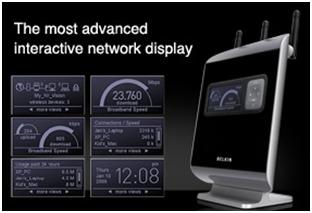
Belkin N1 Vision Review - The Tale of No Support

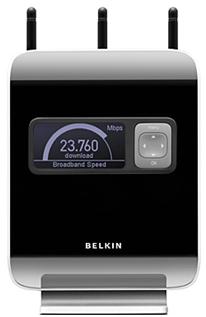
You might know by now that I have a liking for gadgets. So when the Belkin N1 Vision came to the market – I rushed out and bought one – for 2 reasons. First reason is it looks nice – that pleases the Misses J and it could be in our living room without house anger. 2nd the display on the unit would give me early warning signs if my line was being abused. Nice 2 have.

I got the unit. And it is nice. Quite easy to setup – and display is fab. But some oversights on Belkin side – was obvious.

First problem – the nice graphs are ONLY on the front panel display. None of the information is available in the web interface. Why? In general – the Web interface will disappoint you a lot if you are used to "Full feature routers".

Second problem – the keys on the front panel are almost un-usable – so sticky are they. You can't just push them and they move. You need a firm grip with both hands usually to press any buttons on the device.

So far so good – nice device – nice feature set – great design - but….

The Belkin N1 Vision has a big problem. My Girlfriend kept complaining that Skype Calls was disconnected every 10-15 minutes. VPN got disconnected all the time. I checked with another router and it did not have issues.

Then I wrote to Belkin support:

My Letter 1: "The router "losses" internet connection every 5-15 minutes (or actually halts internet traffic) - this means fx. skype calls are disconnected every 5-15 minutes. This happens on both wired and non wired connections. This does not happen using another router on same line. It happens all the time - even with only one device connected. It happens on wireless and wired connections. Firmware: F5D8232-4_WW_1.00.11"

The letter of course detailed all info on the router OS etc.

The Belkin Reply 1: "(standard answer) – please reset router to factory defaults" (signed Harold Tomlin)

So I did…

But of course – no change.

My Letter 2: "Done it - but still same problem. Every 5-10-15 minutes the connection halts - disconnecting skype - streaming media etc."

The Belkin Reply 2: "Upgrade your firmware standard letter" (please notice I was running latest firmware: F5D8232-4_WW_1.00.11 as written before and still signed Harold Tomlin)

Guess the guys have problems reading mails…

My Letter 3: "I'm AM running latest firmware! Please read my MAILs!" (I'm starting to get annoyed)"

The Belkin Reply 3: "Please try to change your wireless channels (standard answer 3)" (still signed Harold Tomlin)

My Letter 4: "IT IS NOT A WIRELESS interference problem! Guys please put me through to some people who do not only send me standard letters. Put me through to SOMEONE who is just a tiny bit technical and process my case"

The Belkin Reply 4: "We understand that Every 5-10-15 minutes the connection halts - disconnecting skype - streaming media etc. We have had several reports of a problem with the F5D7230 version 7000. The issue appears to be caused by a bug in the SPI firewall code incorrectly dropping packets for mistakenly regarding them as not belonging to an active connection. As a workaround, this specific test can be disabled on an undocumented page in the web interface: Go to http://192.168.2.1 and login to the router. Go to the hidden page http://192.168.2.1/firewall_spi_h.stm. Untick the option `TCP Connection` under the `Stateful Packet Inspection` header and click Apply Changes." (still signed Harold Tomlin)

I thought at first glance that this was the answer.. Perfect!! Until I noticed it was for another router. The F5D7230 – not my F5D8232-4. And the page they referred to – do not exist in the N1 Vision.

My Letter 5: "My router is not a F5D7230 - but a F5D8232-4 and I don't have a page called http://192.168.1.1/firewall_spi_h.stm. Is such a page on F5D8232-4? And in that case what is it called then. (tried .htm .html etc.) Please reply to the question and do not just send me another standard answer."

The Belkin Reply 5: "Thank you for contacting Belkin Technical Support. We regret the inconvinience this might cause. if you need further assistance please feel free to write back to us and we will be happy to assist you. If you have any other questions or problems you may also call us toll free at 1800-223-5546 (Extn. 2064). Alternatively, call us on 310 898 1100 Ext. 2263" (still signed Harold Tomlin)

Another standard answer – but without any answer at all. I gave up. The N1 Vision is now sent away on an extended vacation to the garbage chute. And I'm NEVER Buying another product from that company. The firmware is still not updated – so there must be people out there with the same problems.

So from my point of view:

DON'T BUY BELKIN PRODUCTS!


Belkin is simply not worth the hassle!


Dubai blocks access to blogger.com

Someone in the UAE does not like blogger.com. It might be due to some of the "nice" articles written on Secret Dubai Diary and other blogger.com sites. Anyway from DU networks it totally blocked – and not only DNS blocked. Through my VPN I got no problem seeing all the content and posting to this site. But without it…. Funny - since through Etisalat - the other big Monopoly Telecoms company here - still got access to blogger.com.

Why they block all of blogger.com domains I don't really know. But it might be a "We want to make certain no offensive information reach the UAE – so better just block ALL"

Do they block access to The Economist too? The Economist published not the nicest articles about the UAE and Dubai.

The problem is just – the more you block – the more people want to know. When are they going to learn that.

Calling you from 41.000 feet

On my mobile that is!

Dubai based carrier Emirates Airline was first airline with In-flight voice mobile phone calling Thursday 20th of March 2008. A flight between Dubai and Casablanca the service was introduced.

The AeroMobile system supports using your own phone in the sky – so far for SMS and calls. But only 5-6 people can be on the line at the same time. In about 12 months time the system will support GPRS data as well.

The system automatically kicks into service when reaching cruising altitude. So far the system has been tested with SMS only in Australia for about 1.000 flights but Emirates was first with Voice on their Airbus A340-300.

The roaming charge is about $4 pr. speech minute, hopefully keeping talk to a minimum. But it gives me a nagging feeling that we now can't get rest when we travel, due to some people's lack of respect for each other. But SMS and Data would be nice.